beady-eye v0.41.0
The board in the window: beady-eye 0.41 draws your trees in a browser
This post is more than a year old. It describes beady-eye v0.41.0; the latest release notes say what has changed since.
Until now the board hung in the kitchen, where only someone at a
terminal could read it. In beady-eye 0.41.0, bdi web
puts it in the window. Run it, open the address in a browser, and you
get the same trees the terminal draws. Click a bead and it opens
beside them.
brew upgrade codeforbreakfast/tap/bdi
# or
cargo install beady-eye

bdi web --listen 0.0.0.0:8080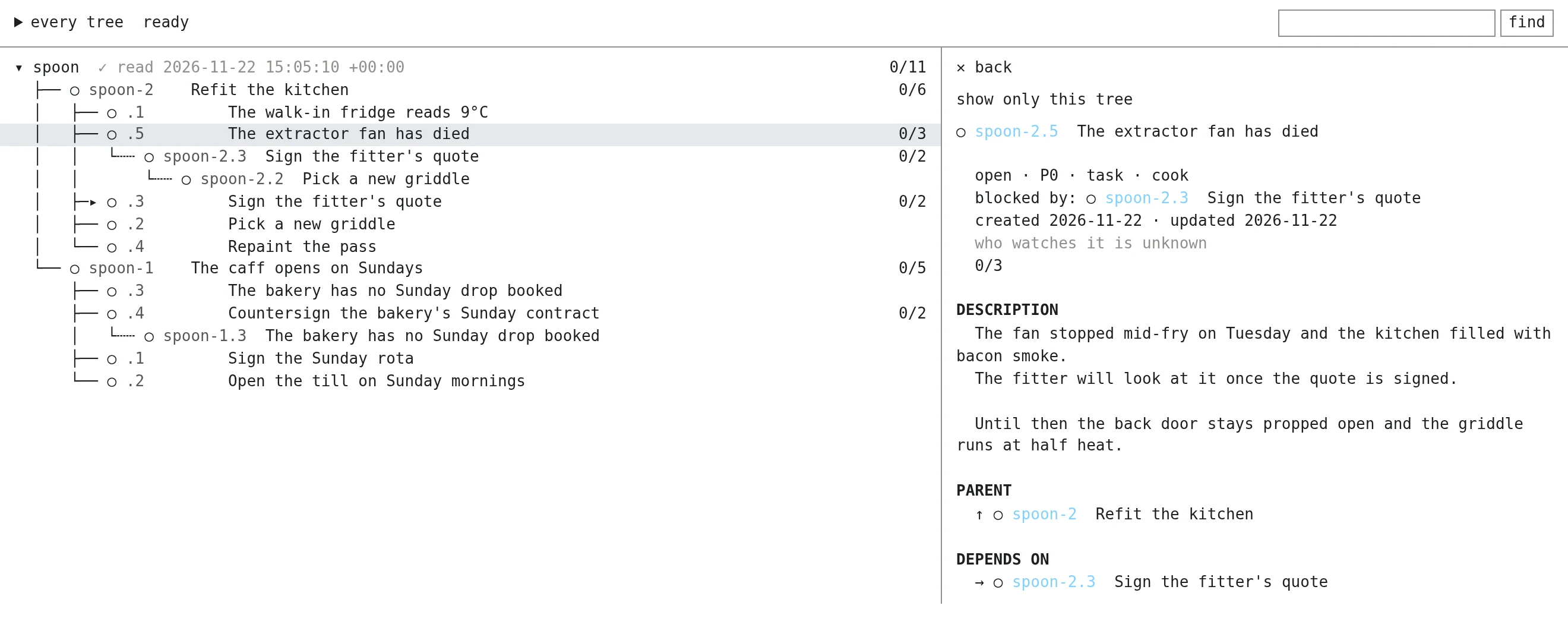
bdi web draws the same trees as the
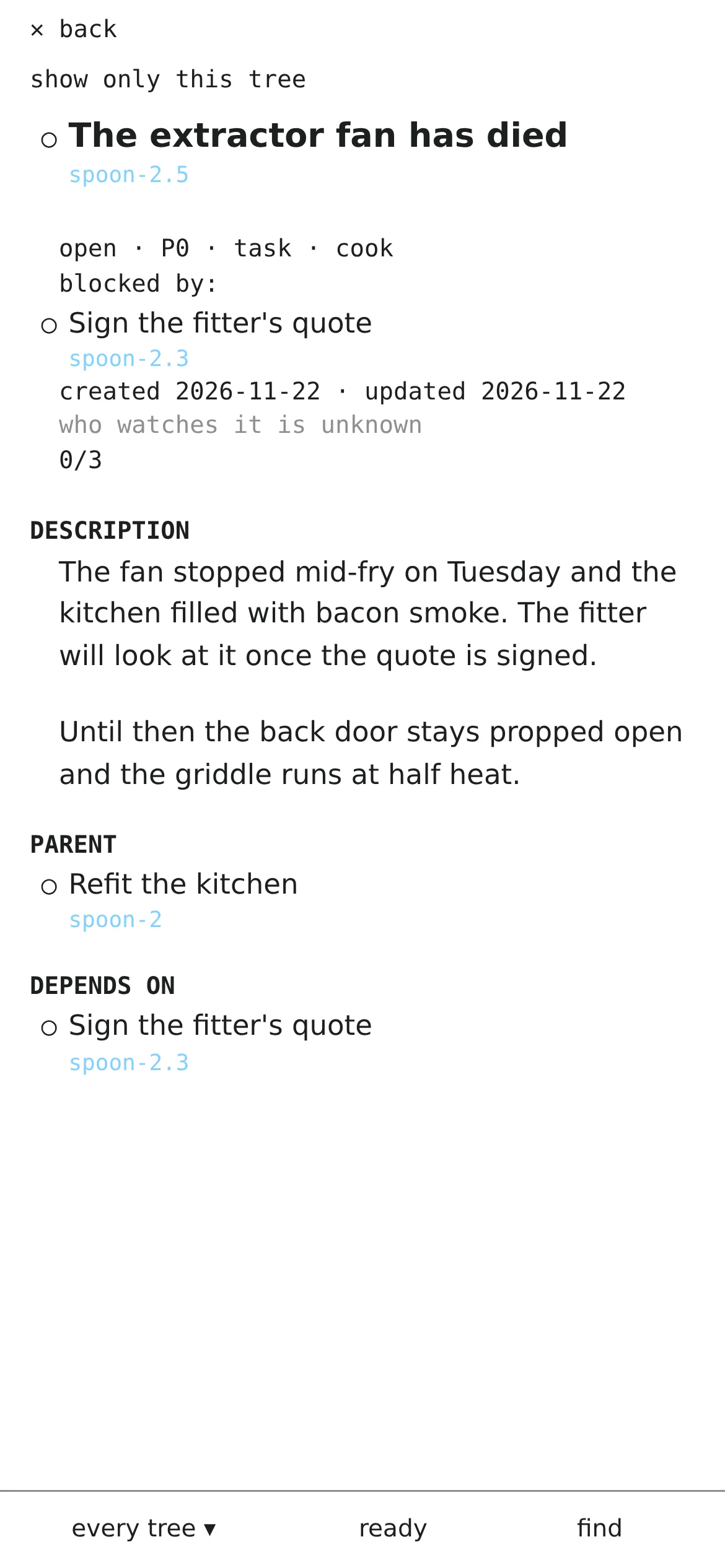
terminal. Click a bead and everything about it opens beside the
tree: its status, what blocks it, its description and its
parent.
The page keeps itself current. When a bead moves, the open page changes with it, without a reload. It keeps your place, your folds and whatever you had typed in the find field. A browser with scripts turned off gets the same page, drawn once.
Every bead has an address. Each one has a page of its
own at /<project>/<bead-id>, so anything that
knows a bead can link straight to it. The page shows no agents and no
panes.
The terminal’s keys became buttons. A menu picks every tree or one of your views, a switch lists only ready beads, a field searches, and a bead’s page offers “show only this tree”. Each choice goes into the address, so a link you send keeps it.
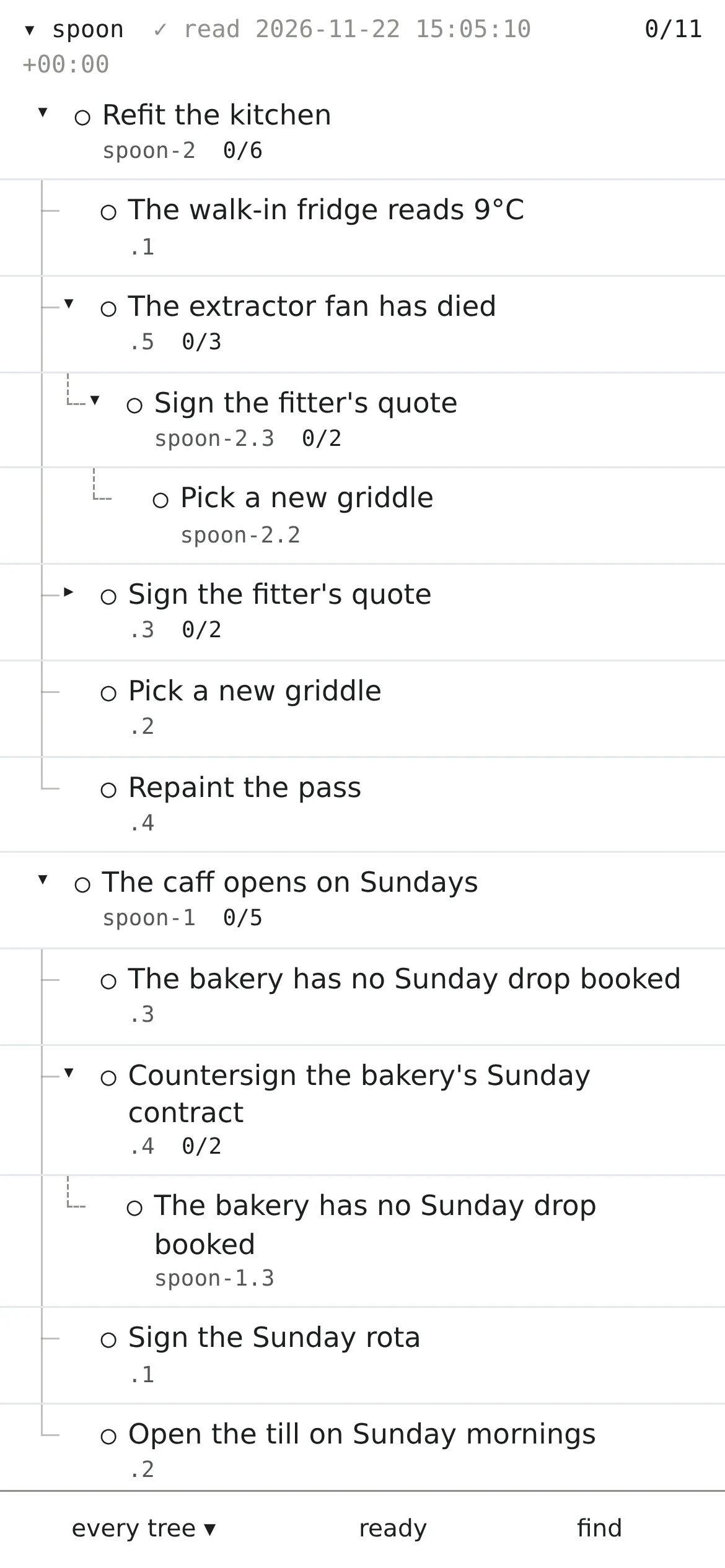
One thing to know before you open the window. The page asks nobody to
sign in, so anyone who can reach the address can read every tracker
you configure. Listen only where all of them may. bdi web
answers requests sent to localhost or to an address, and
to any name you give it with --allow-host. It refuses
every other request. If a proxy sits in front of it, read the
README’s section on proxies first.
The specials are in the window. Come and have a look!